
Django REST Framework (DRF) CheatSheet

The Django Rest Framework (DRF) is a powerful toolkit 🎯 that makes it easy to create robust and scalable web APIs with Django. Whether you’re an experienced Django developer 👨💻 or a beginner, having a comprehensive cheat sheet 📝 at your disposal can be a game changer. In this article, we’ll go over the most comprehensive Django Rest Framework cheat sheet 📚, which includes key concepts, serializers, views, authentication, and more. 💡

Serializers
Serializers play an important role in converting complex data types 🌀, such as Django models, into Python data types 🐍 that can be easily rendered into JSON, XML, or other content formats. Here’s a quick guide 🛠️ for DRF serializers:
Define a serializer class by inheriting from
serializers.Serializerorserializers.ModelSerializer(for model-based serializers).Specify fields using class attributes like
CharField,IntegerField, etc. 🔢Implement validation logic using methods like
validate_<field_name>().Use serializers to handle both input data validation ✅ and output data rendering.
class MyModelSerializer(serializers.ModelSerializer):
    class Meta:
        model = MyModel
        fields = '__all__'  # 🔄 All fields in MyModel will be included.
Basic View Types
Views in DRF are analogous to Django’s views 👓, but tailored specifically for handling API requests. They’re responsible for processing incoming requests and returning appropriate responses 📬. DRF provides different types of views to handle various use cases:
APIView: The base class for all views. It provides basic request/response handling. 🔄
ViewSet: Combines multiple views (list, create, retrieve, update, delete) into a single class. 🧩
GenericAPIView: Provides common behavior for CRUD operations. 🔄
ModelViewSet: A combination of GenericAPIView and ViewSet tailored for model-backed APIs. 📦
HTTP Methods and Corresponding Views
DRF maps HTTP methods to view methods:
GET:
list(),retrieve()🔍POST:
create()✏️PUT:
update()🔄PATCH:
partial_update()✂️DELETE:
destroy()🗑️
Authentication and Permissions
DRF provides authentication and permission classes to control access to views 🔐:
from rest_framework.authentication import BasicAuthentication
from rest_framework.permissions import IsAuthenticated

class MyView(APIView):
    authentication_classes = [BasicAuthentication]  # 🔒 Enforces Basic Authentication
    permission_classes = [IsAuthenticated]  # 🔒 Allows only authenticated users
Custom Permissions
Define custom permissions to control access 🚦:
from rest_framework import permissions

class IsOwnerOrReadOnly(permissions.BasePermission):
    def has_object_permission(self, request, view, obj):
        if request.method in permissions.SAFE_METHODS:  # 🛡️ Allows safe methods (GET, HEAD, etc.)
            return True
        return obj.owner == request.user  # 👤 Only owners can modify
ViewSets and Routers
DRF offers ViewSets for a more concise way of defining views ⚙️:
from rest_framework import viewsets

class MyModelViewSet(viewsets.ModelViewSet):
    queryset = MyModel.objects.all()  # 📋 Fetch all objects from MyModel
    serializer_class = MyModelSerializer  # 🧩 Use MyModelSerializer to handle data
ViewSets can be registered with routers 🛣️ to generate URLs automatically:
from rest_framework.routers import DefaultRouter

router = DefaultRouter()  # 🚦 Creates a default router instance
router.register(r'mymodels', MyModelViewSet)  # 🛤️ Register the viewset with the router
urlpatterns += router.urls  # 🔗 Automatically adds routes to urlpatterns
Pagination
DRF offers built-in pagination classes 📄 for handling large data sets:
REST_FRAMEWORK = {
    'DEFAULT_PAGINATION_CLASS': 'rest_framework.pagination.PageNumberPagination',  # 📃 Paginate data
    'PAGE_SIZE': 10,  # 🗂️ Set the number of items per page
}
Filtering and Ordering
Filter and order querysets using URL query parameters 🔍:
class MyModelViewSet(viewsets.ModelViewSet):
    queryset = MyModel.objects.all()  # 🎯 Query all records
    serializer_class = MyModelSerializer  # 🔄 Use the serializer to render data
    filter_backends = [filters.SearchFilter, filters.OrderingFilter]  # 🔄 Add search and ordering filters
    search_fields = ['name']  # 🔎 Enable searching by name
    ordering_fields = ['name']  # ⏫ Allow ordering by name
API Versioning
You can version your API to avoid breaking changes 🔧:
urlpatterns = [
    path('v1/', include('myapp.urls')),  # 🗂️ Version 1 of the API
]
Versioning
Version your APIs using DRF’s versioning classes 📑:
REST_FRAMEWORK = {
    'DEFAULT_VERSIONING_CLASS': 'rest_framework.versioning.NamespaceVersioning',  # 🧱 Use namespace versioning
    'ALLOWED_VERSIONS': ['v1', 'v2'],  # 🎯 Only allow specific versions
}
Throttling and Rate Limiting
Protect your API using throttling and rate limiting 🛡️:
REST_FRAMEWORK = {
    'DEFAULT_THROTTLE_CLASSES': [
        'rest_framework.throttling.AnonRateThrottle',  # 🚦 Limit anonymous requests
        'rest_framework.throttling.UserRateThrottle',  # 🚦 Limit user requests
    ],
    'DEFAULT_THROTTLE_RATES': {
        'anon': '100/day',  # ⚖️ Anonymous users get 100 requests/day
        'user': '1000/day',  # ⚖️ Authenticated users get 1000 requests/day
    },
}
Content Negotiation
DRF supports content negotiation for handling different media types (JSON, XML, etc.) 🧩:
REST_FRAMEWORK = {
    'DEFAULT_RENDERER_CLASSES': [
        'rest_framework.renderers.JSONRenderer',  # 🎯 Render JSON by default
        'rest_framework.renderers.XMLRenderer',  # 📄 Add XML support if needed
    ],
}
Exception Handling
DRF provides built-in exception handling and error responses ⚠️:
from rest_framework.views import exception_handler

def custom_exception_handler(exc, context):
    response = exception_handler(exc, context)  # 🔍 Handle the exception
    if response is not None:
        response.data['custom_message'] = 'An error occurred'  # ❗ Custom error message
    return response  # 🚨 Return the modified response
Overriding Generic Views
You can customize the behavior of generic views by overriding methods ✍️:
class MyModelListCreateView(generics.ListCreateAPIView):
    queryset = MyModel.objects.all()  # 🎯 Query all records
    serializer_class = MyModelSerializer  # 🧩 Use the serializer for data validation and rendering

    def perform_create(self, serializer):  # 🔄 Override default creation logic
        serializer.save(user=self.request.user)  # 👤 Save the current user as the owner
View Function Decorators
Use decorators to add behavior to views, such as authentication and permission checks 🛠️:
from rest_framework.decorators import authentication_classes, permission_classes

@authentication_classes([TokenAuthentication])  # 🛡️ Require token authentication
@permission_classes([IsAuthenticated])  # 👤 Allow only authenticated users
def my_view(request):
    # 🚀 View logic here
Serializer Context
Pass additional context to serializers 🌍:
serializer = MyModelSerializer(instance, context={'request': request}) # 🌐 Pass request in contextRendering Custom Data
Render custom data using Response and status 🚀:
from rest_framework.response import Response
from rest_framework import status

class MyView(APIView):
    def get(self, request):
        data = {'message': 'Hello, world!'}  # 🌍 Custom message
        return Response(data, status=status.HTTP_200_OK)  # 🟢 Return success response
File Uploads
Handle file uploads in views using serializers 🗂️:
class MyModelSerializer(serializers.ModelSerializer):
    class Meta:
        model = MyModel
        fields = ['file']  # 🗄️ Only serialize the file field

class MyModelView(APIView):
    def post(self, request):
        serializer = MyModelSerializer(data=request.data)  # 🔄 Pass data for validation
        if serializer.is_valid():  # ✅ If data is valid
            serializer.save()  # 💾 Save the file
            return Response(serializer.data, status=status.HTTP_201_CREATED)  # 🟢 Return success
        return Response(serializer.errors, status=status.HTTP_400_BAD_REQUEST)  # 🔴 Return errors
Testing Views
DRF provides testing tools to test views and API functionality 🧪:
from rest_framework.test import APITestCase

class MyViewTest(APITestCase):  # 🧪 Create test class
    def test_my_view(self):
        response = self.client.get('/my-view/')  # 🚀 Test the GET request
        self.assertEqual(response.status_code, status.HTTP_200_OK)  # 🟢 Assert success
Serializer Validation
Add custom validation to serializers using validate_<field_name> methods ✅:
class MySerializer(serializers.ModelSerializer):
    def validate_my_field(self, value):  # 🛡️ Validate specific field
        if value < 0:
            raise serializers.ValidationError('Value cannot be negative')  # 🔴 Raise error for invalid data
        return value  # ✅ Return validated value
DRF with Function-Based Views
You can use DRF features with function-based views 🛠️:
from rest_framework.decorators import api_view
from rest_framework.response import Response

@api_view(['GET'])  # 🔄 Allows GET requests
def my_function_view(request):
    data = {'message': 'Hello, function view!'}  # 👋 Custom message
    return Response(data)  # 🚀 Return response
Serializing Relationships
Handle related data using serializers 🌐:
class AuthorSerializer(serializers.ModelSerializer):
    class Meta:
        model = Author
        fields = ['name', 'books']  # 📚 Author's name and books

class BookSerializer(serializers.ModelSerializer):
    author = AuthorSerializer()  # 👤 Nested serializer for author

    class Meta:
        model = Book
        fields = ['title', 'author']  # 📖 Include book title and author
Combining Views
Combine multiple views into one using ViewSets and mixins 🔗:
from rest_framework import mixins, viewsets

class MyViewSet(mixins.ListModelMixin,  # 📝 List view
                mixins.RetrieveModelMixin,  # 🔍 Detail view
                viewsets.GenericViewSet):  # ⚙️ Use generic viewset
    queryset = MyModel.objects.all()  # 🎯 Query all records
    serializer_class = MyModelSerializer  # 🧩 Use the serializer
Caching
Cache responses using DRF’s caching decorators 🗄️:
from rest_framework.decorators import cache_page

class MyView(APIView):
    @cache_page(60 * 15)  # ⏳ Cache for 15 minutes
    def get(self, request):
        # 🚀 Logic here
DRF’s Mixins
Leverage DRF’s mixins for common CRUD operations ✍️:
from rest_framework import mixins, viewsets

class MyViewSet(mixins.ListModelMixin,  # 📝 List view
                mixins.CreateModelMixin,  # ➕ Create view
                mixins.RetrieveModelMixin,  # 🔍 Detail view
                mixins.UpdateModelMixin,  # 🔄 Update view
                mixins.DestroyModelMixin,  # 🗑️ Delete view
                viewsets.GenericViewSet):
    queryset = MyModel.objects.all()  # 🎯 Query all records
    serializer_class = MySerializer  # 🧩 Use the serializer
Custom Action
Create custom actions in viewsets 🛠️:
class MyViewSet(viewsets.ModelViewSet):
    @action(detail=True, methods=['post'])  # 🎯 Custom action that handles POST requests
    def do_something(self, request, pk=None):
        # 🛠️ Custom action logic
Query Parameters
Retrieve query parameters in views 🔍:
class MyView(APIView):
    def get(self, request):
        param_value = request.query_params.get('param_name')  # 🛠️ Get query param value
        # 🚀 Logic here
Custom Nested Relationships
You can use serializer methods to create custom nested relationships 🧩:
class AuthorSerializer(serializers.ModelSerializer):
    class Meta:
        model = Author
        fields = '__all__'  # Include all fields

class BookSerializer(serializers.ModelSerializer):
    author_data = serializers.SerializerMethodField()  # 🌐 Custom nested field

    class Meta:
        model = Book
        fields = '__all__'  # Include all fields

    def get_author_data(self, obj):
        author = obj.author  # Fetch author object
        return AuthorSerializer(author, context=self.context).data  # 🚀 Serialize author data
Multiple Serializers for a Single View
Use different serializers for different request methods ✨:
class MyModelAPIView(APIView):
    serializer_class_read = MyModelReadSerializer  # 👀 Serializer for reading data
    serializer_class_write = MyModelWriteSerializer  # ✍️ Serializer for writing data

    def get_serializer_class(self):
        if self.request.method in ['GET', 'HEAD']:
            return self.serializer_class_read  # 📝 Use read serializer for GET/HEAD requests
        return self.serializer_class_write  # ✍️ Use write serializer for POST requests

    def get(self, request):
        # 🚀 Logic for GET

    def post(self, request):
        # 🚀 Logic for POST
Related Data Creation
Override perform_create in your view to handle related data creation 🔄:
class OrderCreateView(generics.CreateAPIView):
    serializer_class = OrderSerializer  # ✍️ Serializer for Order model

    def perform_create(self, serializer):
        order = serializer.save()  # 💾 Save the order
        products_data = self.request.data.get('products')  # 🔄 Get related product data
        if products_data:
            for product_data in products_data:  # 📦 Create OrderItems for each product
                product = Product.objects.get(id=product_data['id'])
                OrderItem.objects.create(order=order, product=product, quantity=product_data['quantity'])
Django Rest Framework offers a variety of tools 🛠️ and features to help you simplify and streamline API development 🚀. This cheat sheet provides a comprehensive reference to help you navigate the complexities of DRF views and create efficient and robust APIs for your Django applications. 🎯
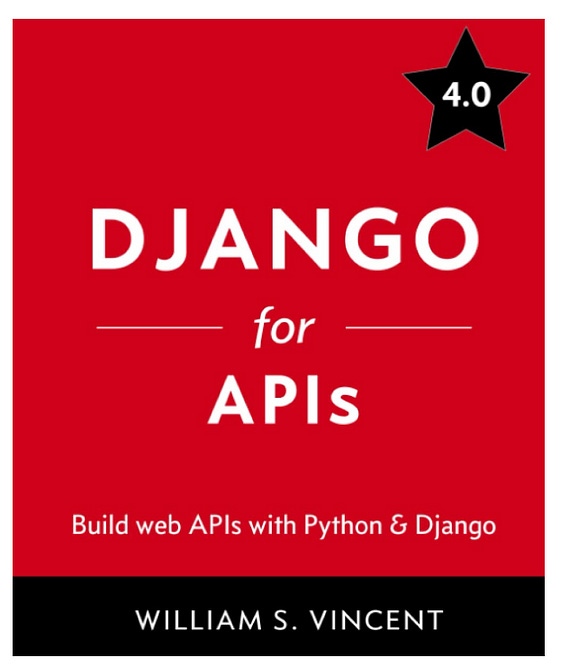
Recommended Read: Django for APIs
If you’re serious about building APIs with Django, I highly recommend checking out the book 📖 [Django for APIs: Build web APIs with Python and Django]
A Note From the Author
Thank you so much for taking the time to read the story 🙏. If you found my article helpful and interesting, please share your thoughts in the comment section 💬, and don’t forget to share and clap 👏.
Let’s Get in Touch!
YouTube: mrcoder701📺
Instagram: mr_coder_701📷
LinkedIn: Gajanan Rajput🔗
Website: mrcoder701.com🌐
GitHub: @gajanan0707🖥️
Medium: Gajanan Rajput✍️